Six common café website fixes
| Common issue |
Why it matters |
The fix |
| Menu uploaded as a PDF or image |
Hard to read on a phone, and Google can't read the dishes |
Publish your menu as text on a web page. Offer a PDF as an extra download if you want one |
| Main action hidden or shown as a text link |
Visitors don't know what to do next |
Choose one main action (Book, Order or Call) and make it a clear button in a contrasting colour, visible on a phone without scrolling |
| Phone number and address not clickable |
Customers have to copy and paste |
Make the phone number tap-to-call and link the address to your Google Maps listing |
| Text too small on mobile |
People leave rather than zoom |
Use around 16px for body text |
| Broken links, empty pages or placeholder text |
Visitors lose trust and go back to Google |
Click through every page and button on your phone and fix anything that doesn't work |
| Default or missing page titles |
Fewer people click through from Google |
Give each page a title with your name, "café" or "restaurant", and your suburb |
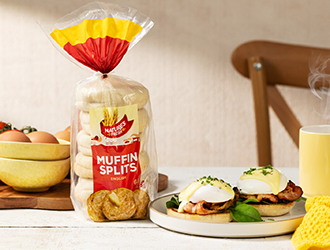
When your menu is text on a web page, Google can read every dish. That means you can appear for specific searches like "gluten-free pizza" or "eggs benedict" plus your suburb, not just "café near me". A PDF or photo of your menu can't do that.
Test one change at a time
Small changes to wording can make a measurable difference. In one example Story Bites shared from its client work, changing a button's wording led to a noticeable increase in clicks [VERIFY: presenter cited 80%; confirm with Story Bites before quoting a figure]. Try one change, give it a few weeks, then compare your website and Google Business Profile results.
Quick test: open your website on your phone right now. Can you see how to book or order, call you and find you within five seconds? If not, start there.